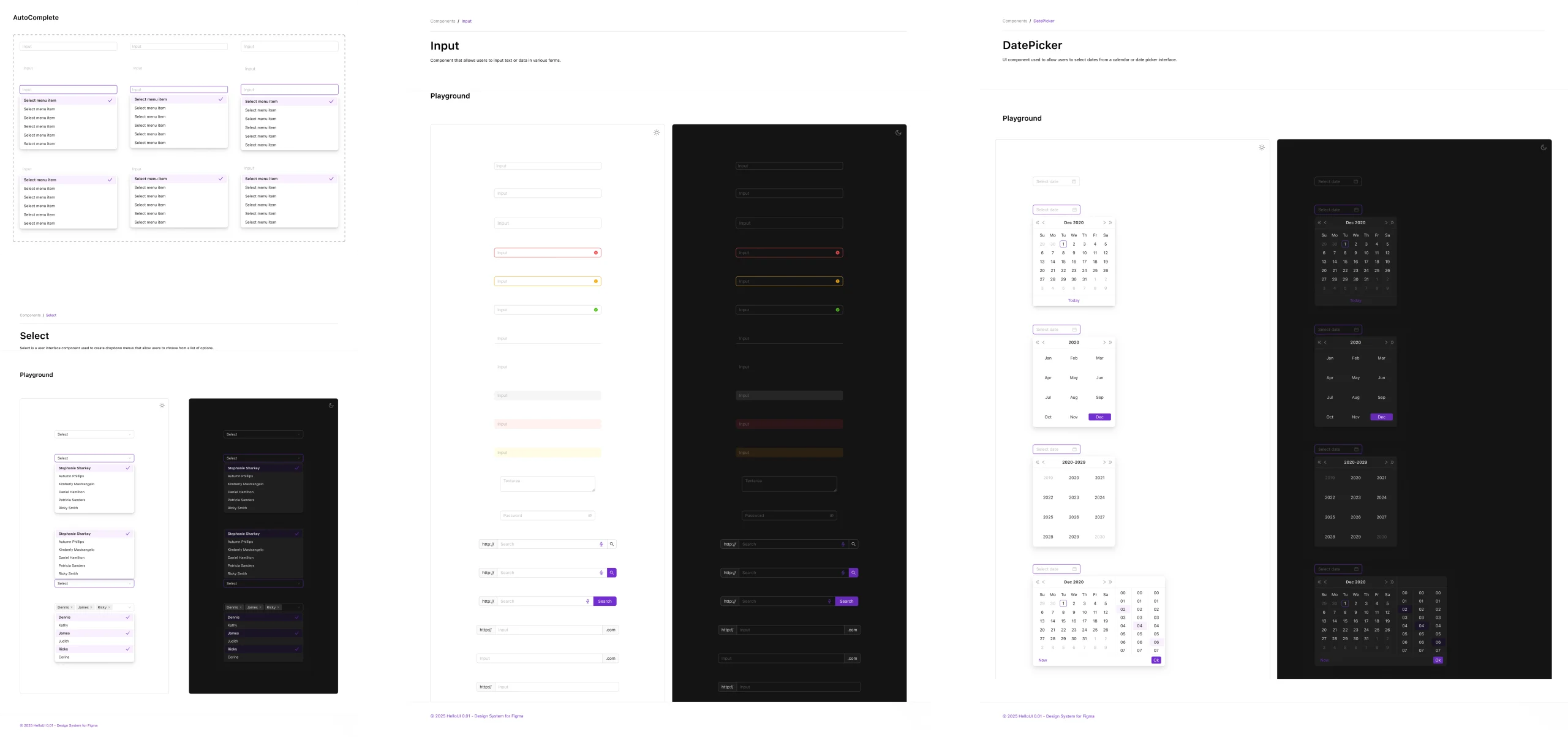
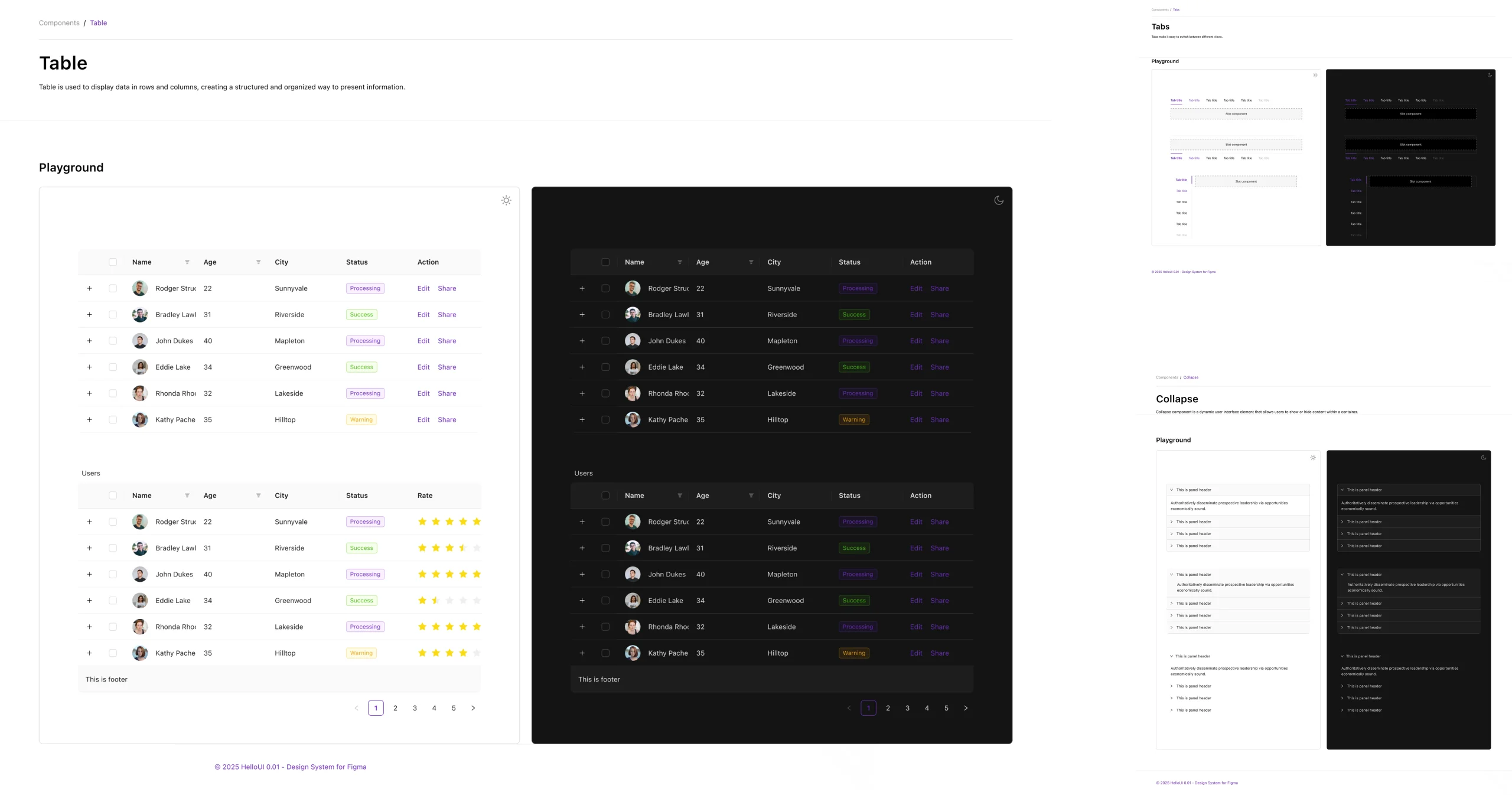
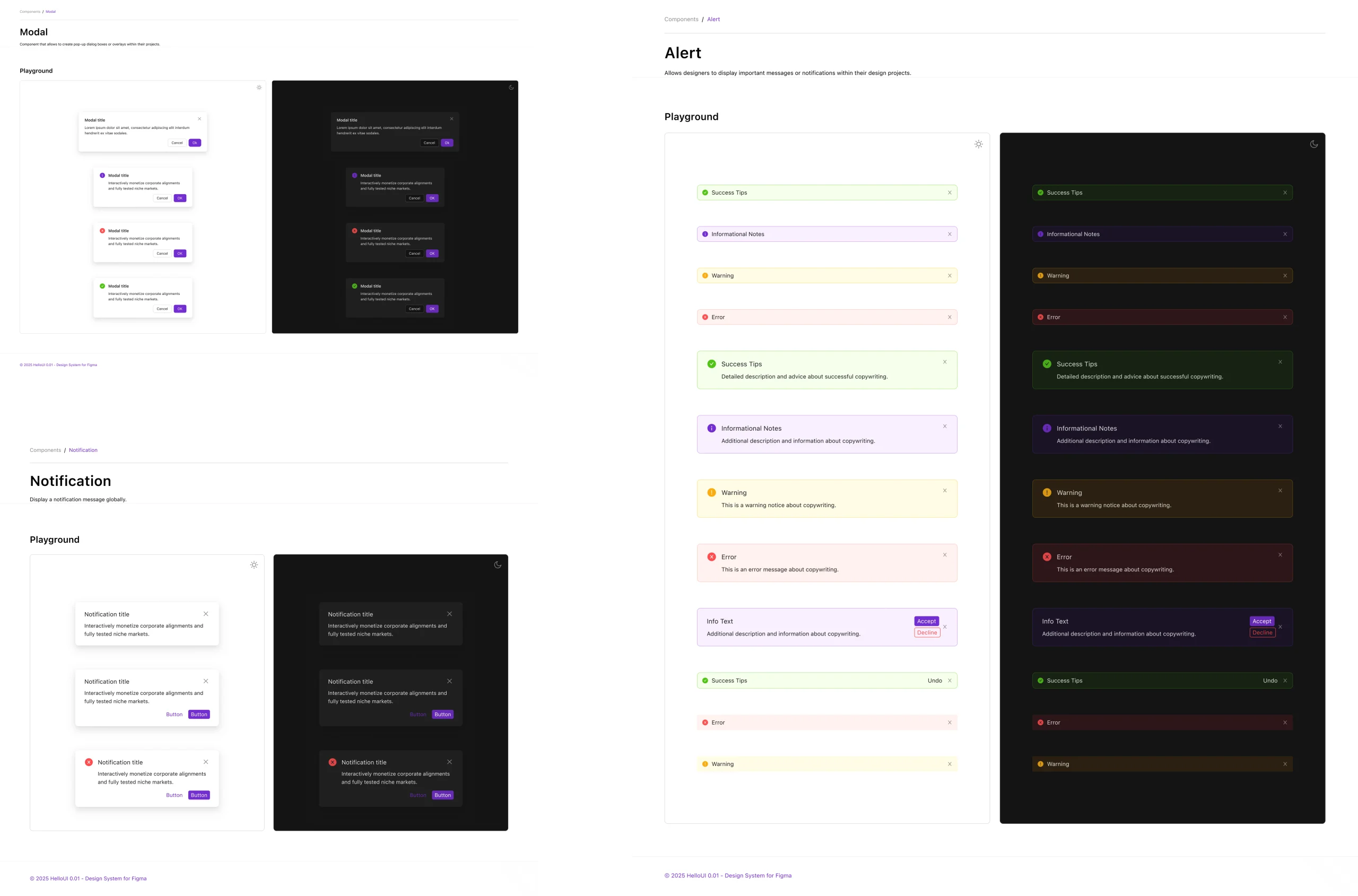
🌗 Native Light & Dark Theme Support
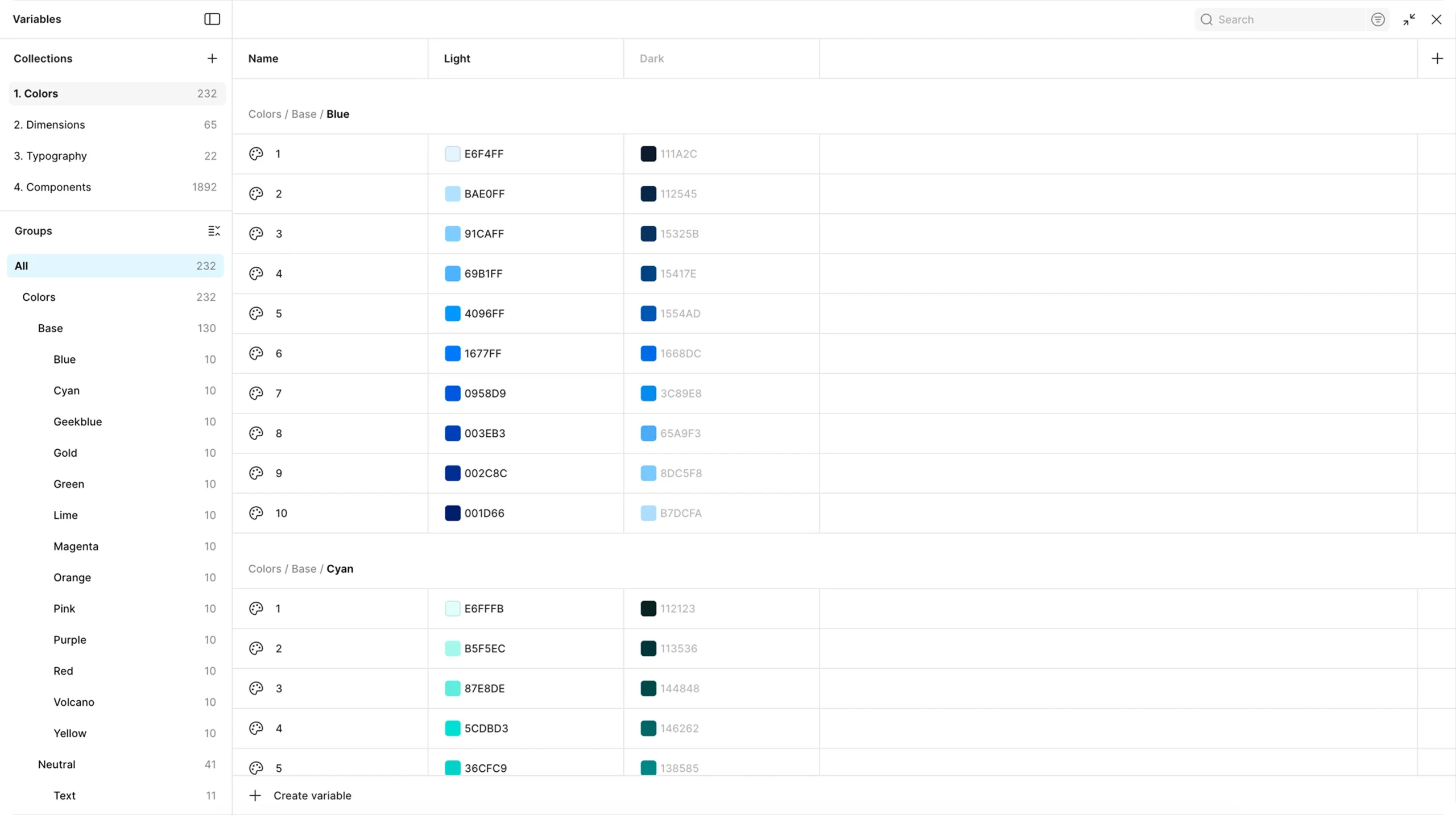
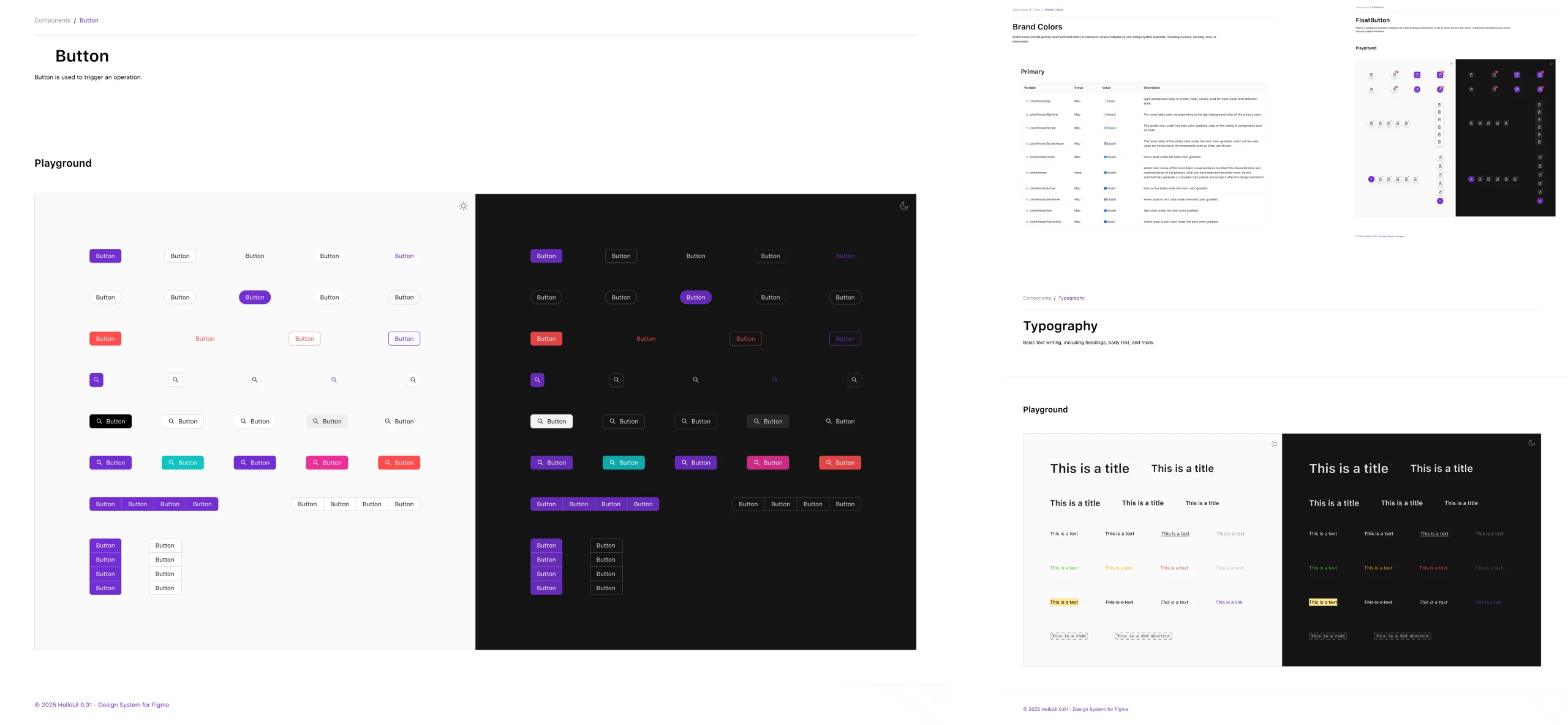
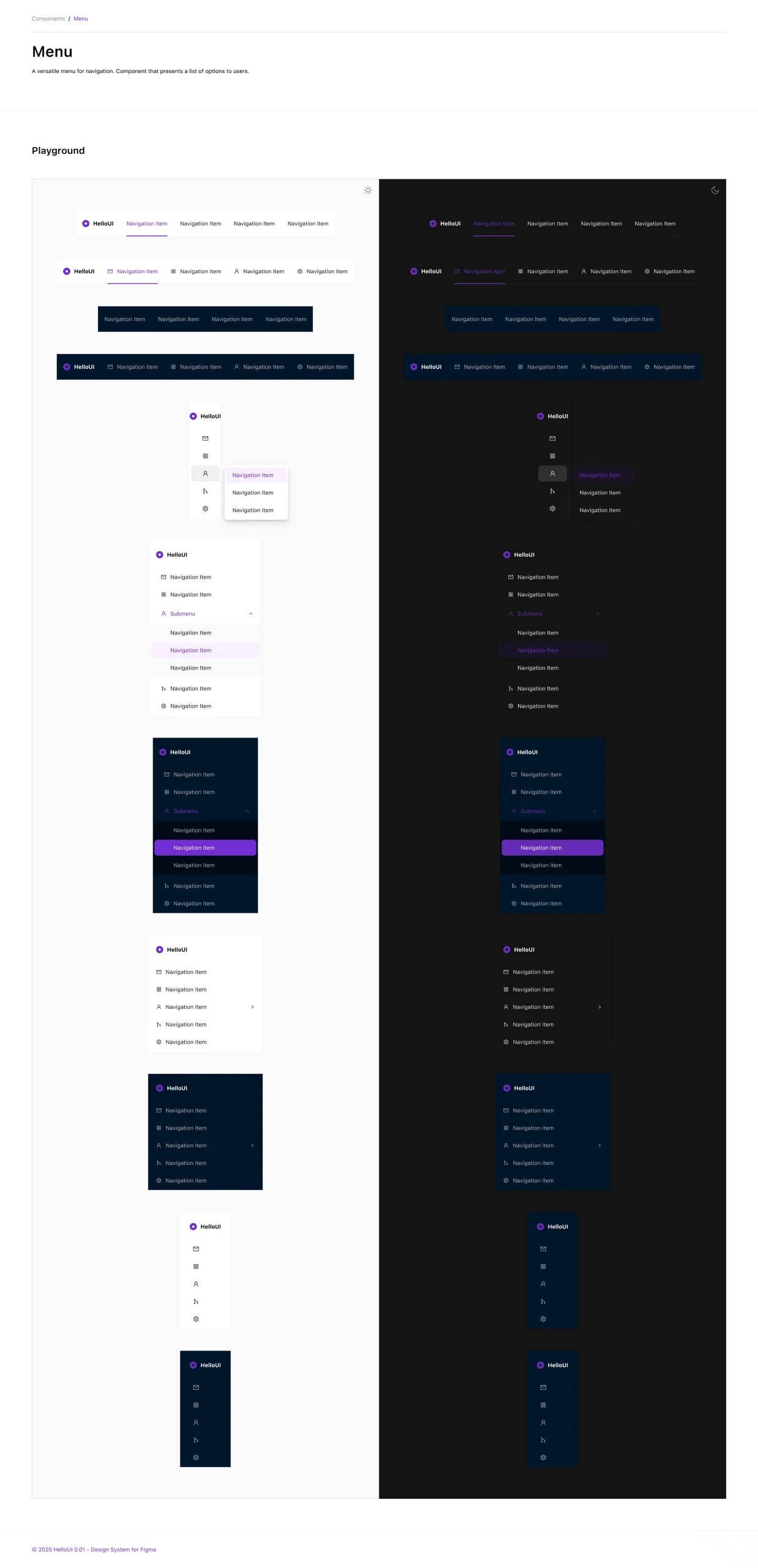
The entire component library is built with dual-theme support using Figma Variables, allowing instant theme switching without rebuilding components. This architecture ensures that text contrast, background surfaces, borders, and interactive states all adapt correctly across themes.
For SaaS products, dark mode is increasingly table-stakes—especially for tools used during extended sessions or by technical users. HelloUI’s native theme support means teams don’t need to maintain two separate design libraries.
📐 Responsive Grid Systems
Two layout grid styles targeting different use cases: a traditional 12-column grid for balanced, marketing-style layouts, and a 24-column grid for dense dashboard interfaces requiring fine-grained control. Both grids are anchored to a 1440px viewport, the sweet spot for laptop displays used by B2B knowledge workers.
The grid styles provide designers with consistent column widths, gutters, and alignment constraints—ensuring layouts remain cohesive even as product surfaces multiply across teams.
📚 Organized Figma Library Structure
A disciplined page hierarchy that separates concerns and enables efficient navigation: Cover page for introduction, Design Guide for foundational systems (Typography, Colors, Size/Space/Radius, Effects), Foundation for primitives, and dedicated pages for Navigation, Data Input, Data Display, and Feedback components.
This organization mirrors how mature design systems like Ant Design, Material-UI, and Carbon document components—making HelloUI immediately familiar to designers and developers who have worked with established systems.
Design Approach
The system follows a pragmatic, product-first aesthetic that prioritizes usability and scalability over decorative trends:
-
Semantic Token Architecture: Variables organized by usage intent (backgrounds, borders, text, accents, status) rather than raw color names, enabling context-aware design decisions and simplified theme management
-
Hierarchical Typography System: Four distinct size categories (Text SM, Text Base, Text LG, Heading) that support different information densities—from compact admin tables to spacious onboarding flows—using modern web fonts optimized for screen readability
-
Component Variant Discipline: Systematic variant properties for size, type, state, and theme across all interactive components, reducing one-off detached instances and maintaining library integrity as teams scale
-
Data-Dense Layout Patterns: Thoughtful spacing scales, card-based grouping, and progressive disclosure techniques that present complex information without overwhelming users or creating visual clutter
-
Accessibility Foundations: Text styles enforcing minimum readable sizes, effect styles creating visual hierarchy without color dependence, and structured semantic layers supporting screen reader navigation
-
Developer-Friendly Conventions: Clear naming patterns, organized style categories, and token structures that map directly to CSS custom properties, Tailwind configs, or design token JSON—reducing design-to-code translation friction
User Experience Highlights
The system excels across multiple experience dimensions critical for product velocity:
Adoption Speed: Designers familiar with component-based design can navigate and use HelloUI effectively within hours due to its clear taxonomy and naming conventions that match industry-standard patterns.
Consistency at Scale: By providing a complete component inventory covering 60+ UI patterns, teams avoid the fragmentation that occurs when designers build custom variants for missing pieces—keeping products cohesive even across distributed teams.
Theme Flexibility: Native light/dark theme support through Variables means designs automatically adapt to user preferences or brand changes without manual rework, reducing design and development cycles for theme implementations.
Design-to-Dev Efficiency: Token-driven foundations and systematic variant structures create a shared vocabulary between design and engineering, reducing interpretation errors and back-and-forth during implementation.
Extensibility: The organized structure allows teams to add custom components or variants without breaking existing patterns—critical for companies that need both standardization and domain-specific customization.
Technical Considerations
The design system was architected with modern product development workflows in mind: