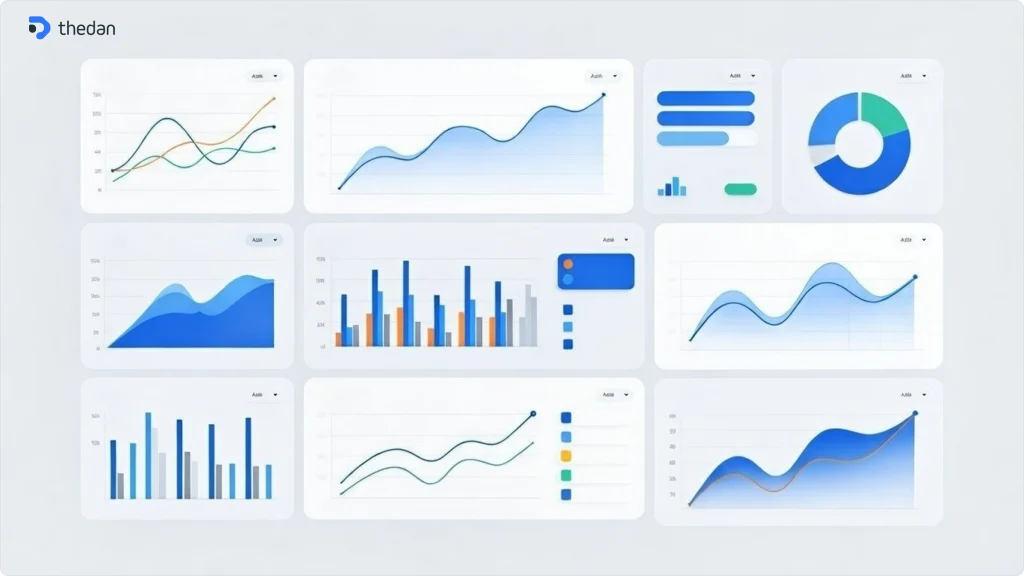




Design systems have become essential infrastructure for modern SaaS products. As product teams scale and add more features, maintaining visual consistency and development efficiency becomes increasingly challenging. This comprehensive guide explores how to build, implement, and scale design systems for SaaS products.
What is a Design System?
A design system is a collection of reusable components, guided by clear standards, that can be assembled to build any number of applications. Think of it as your product’s design DNA—a single source of truth that combines design principles, component libraries, documentation, and governance models.
For SaaS products specifically, design systems solve three critical problems:
- Consistency across features and platforms
- Development velocity and efficiency
- Design and engineering collaboration
Why SaaS Products Need Design Systems
SaaS products face unique challenges that make design systems essential:
Rapid Feature Development: SaaS companies ship features continuously. Without a design system, each new feature requires designing and building components from scratch, slowing down releases.
Multiple Platforms: Modern SaaS products span web, mobile, and sometimes desktop. Design systems ensure consistent experiences across all touchpoints.
Scaling Teams: As your team grows from 5 to 50 to 500, design systems prevent design debt and maintain quality standards.
Customer Expectations: B2B users expect professional, polished interfaces. Inconsistent UI damages credibility and user trust.
Key Components of a SaaS Design System
1.Design Tokens
Design tokens are the atomic elements of your design system—colors, typography, spacing, and more. They provide a single source of truth that translates directly to code.
Best practices:
- Use semantic naming (e.g., ‘color-primary-500’ instead of ‘blue’)
- Define tokens for light and dark modes
- Include responsive tokens for different screen sizes
- Version control your tokens
2.Component Library
Your component library contains all reusable UI elements: buttons, inputs, modals, tables, charts, and complex components like data grids and dashboards.
Essential components for SaaS products:
- Navigation (sidebar, top nav, breadcrumbs)
- Data display (tables, charts, cards)
- Forms (inputs, selects, date pickers)
- Feedback (alerts, toasts, modals)
- Empty states and loading states
3.Documentation
Documentation makes or breaks design system adoption. Your docs should include:
- Component usage guidelines
- Code examples
- Do’s and don’ts
- Accessibility standards
- Contribution guidelines
4.Design Principles
Articulate the ‘why’ behind your design decisions. For SaaS products, common principles include:
- Clarity over cleverness
- Data-dense yet scannable
- Powerful but not overwhelming
- Professional and trustworthy
Building Your Design System: A Practical Approach
Phase 1: Audit and Foundation (Weeks 1-2)
- Conduct a UI audit across your product
- Identify inconsistencies and patterns
- Define your core design tokens
- Document your design principles
Phase 2: Core Components (Weeks 3-6)
- Build 10-15 foundational components
- Create Figma component library
- Develop React/Vue components
- Write basic documentation
Phase 3: Documentation and Adoption (Weeks 7-10)
- Create comprehensive documentation site
- Run workshops with design and engineering teams
- Migrate one feature to the new system
- Gather feedback and iterate
Phase 4: Governance and Scale (Ongoing)
- Establish contribution guidelines
- Create a design system team
- Regular audit and maintenance schedule
- Version management strategy
Design Systems and Figma: Best Practices
Figma has become the de facto standard for design system management. Here’s how to structure your Figma files for maximum efficiency:
File Structure:
- Core Library (tokens, primitives)
- Component Library (all components)
- Pattern Library (common layouts)
- Documentation (guidelines and examples)
Figma Features to Leverage:
- Variables for design tokens
- Auto-layout for responsive components
- Component properties for variants
- Branching for version control
Design-to-Development Workflow
The best design systems bridge the gap between design and code. Modern tools enable near-perfect design-to-code workflows:
- Design in Figma with production-ready components
- Use dev mode for accurate specs
- Sync design tokens to code (using tools like Style Dictionary)
- Generate React/Vue components from Figma
- Maintain single source of truth
Common Design System Pitfalls to Avoid
- Building too much upfront: Start small with core components and expand based on actual needs.
- No clear governance: Without ownership and contribution guidelines, your design system becomes chaotic.
- Poor documentation: If it’s not documented, it doesn’t exist. Invest heavily in docs.
- Ignoring accessibility: Build accessibility into your system from day one, not as an afterthought.
- Not involving engineers early: Design systems succeed when design and engineering collaborate from the start.
Measuring Design System Success
Track these metrics to measure your design system’s impact:
Adoption Rate: Percentage of product using design system components
Development Velocity: Time to ship new features
Design Consistency Score: UI audit scores over time
Contribution Rate: Number of components contributed by the team
Support Tickets: Questions and issues raised about the system
Real-World Examples: Learning from the Best
Material Design (Google): Comprehensive, well-documented, with excellent component coverage.
Polaris (Shopify): E-commerce-focused with strong guidance on data-heavy interfaces.
Carbon (IBM): Enterprise-grade with emphasis on accessibility and complex workflows.
Atlassian Design System: Great documentation and clear governance model.
Conclusion: Design Systems as Competitive Advantage
For SaaS companies, a well-built design system isn’t just a nice-to-have—it’s a competitive advantage. It enables faster feature development, ensures consistency at scale, and improves the overall quality of your product.
The key is starting small, involving both design and engineering from day one, and treating your design system as a product itself—with its own roadmap, users, and success metrics.
Ready to build or improve your design system? Book a free strategy call with our team to discuss how we can help you create a scalable design system for your SaaS product.